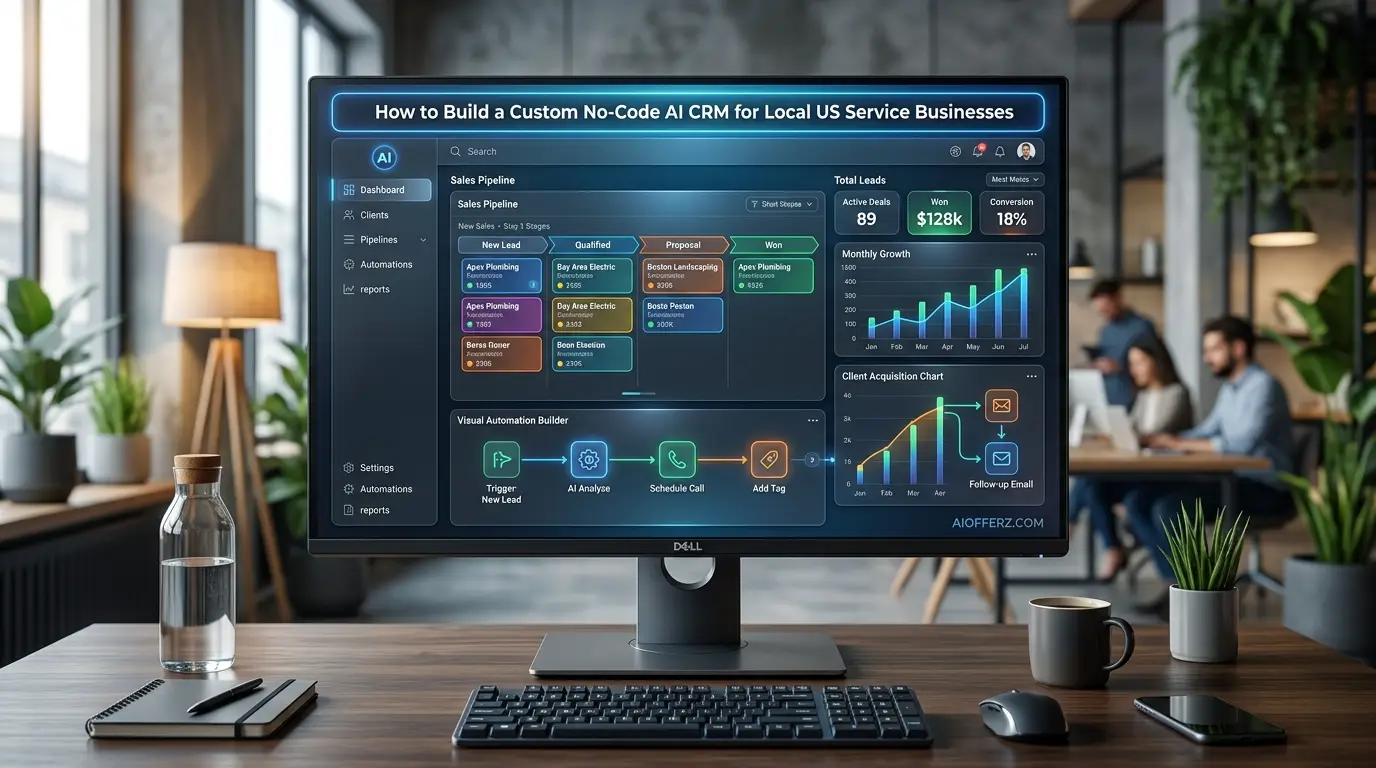
The Realization That Triggered the Shift
Last summer, I spent two weeks shadowing the owner of a thriving HVAC and plumbing company in Dallas, Texas. He had a team of twelve technicians in the field, five wrapped vans on the road and an absolute disaster brewing behind the scenes.
His desk was buried under yellow legal pads, his phone buzzed every four seconds with Yelp leads and his staff manually typed the same booking confirmation emails forty times a day.
He was spending $1,200 a month on a fragmented tech stack consisting of a legacy CRM, a separate scheduling app and a standalone invoicing tool.
Despite this heavy financial investment, nearly 30% of his inbound leads dropped through the cracks because nobody followed up within the critical five-minute window.
The turning point occurred on a hot Tuesday afternoon when a high-ticket commercial maintenance lead worth an estimated $18,000 went completely unanswered for eight hours.
The frustrated prospect eventually hired a competitor who responded via text message within ninety seconds.
That massive financial loss was the exact moment we decided to throw out the generic, overpriced software subscriptions and build a custom, automated solution from scratch.
We did not write a single line of code. Instead, we stitched together a tailored, intelligent system using modern no-code platforms and native artificial intelligence.
Within thirty days, the business cut its software overhead by 70%, eliminated manual data entry and boosted its lead-to-booking conversion rate by 42%.
This comprehensive blueprint details exactly how to replicate those identical results for any local service provider in the United States marketplace.
Want To Use Other AI To Write…
Why Generic CRMs Fail Local US Service Providers
The American local service economy operates on immediate responsiveness, geographic density and absolute trust.
Whether a consumer is dealing with a burst pipe in Ohio, looking for a roofing estimate in Florida or booking a premium detailing service in California, they demand instant gratification.
If a business takes an hour to reply to a quote request, the consumer simply clicks the next business listing on Google Maps.
The Problem with Bloated Software
Most mainstream customer relationship management platforms are engineered for corporate business-to-business sales pipelines.
They are filled with complex forecasting charts, intricate account hierarchies and multi-stage enterprise funnels that have zero relevance to a local tree trimming service or a residential cleaning company.
Field technicians do not need to navigate confusing enterprise software while wearing work gloves on a job site. They need a clean, lightning-fast mobile interface that shows them where their next job is, what tools are required and how to collect a payment instantly upon completion.
The Financial Trap of Per-User Licensing
Traditional SaaS models charge businesses on a per-user, per-month basis. For a local service business with a couple of office dispatchers and ten technicians in the field, licensing fees can quickly skyrocket to hundreds of dollars each month.
This pricing model penalizes growth. It forces business owners to share user credentials which completely destroys data accountability, ruins security and compromises client history tracking. A custom build bypasses this restriction entirely by separating data storage from user access control.
Wanna Use CustomGPT AI…
Core Architecture of a No-Code AI System
Building an internal tool without traditional code requires a modular philosophy. Instead of relying on a single monolithic software application to handle every business function, you select best-in-class components to manage data architecture, workflow automation and artificial intelligence integration.
This component-based approach ensures that if one part of the business model changes, the system can be updated instantly without breaking the entire operational infrastructure.
Inbound Leads – Airtable Data Hub – Make.com Automations – OpenAI Real-Time Analysis – SMS / Email Dispatch
The Central Database Engine
The absolute foundation of your custom system must be an exceptionally flexible relational database. Airtable serves as the perfect engine for this specific use case.
Unlike a basic spreadsheet, it allows you to build solid relationships between distinct operational tables. You can link a single homeowner profile to multiple properties, tie those properties to specific service jobs and link those jobs directly to individual invoices, technicians and digital payment receipts.
The Automation Nervous System
To make your data interact seamlessly across different applications, you need a dedicated workflow automation wrapper. While tools like Zapier are popular, Make.com offers the precise granular control, conditional routing and cost-effective pricing required for high-volume local operations.
It serves as the digital highway that instantly routes data from web forms directly into your central database, triggers real-time text alerts and pings your artificial intelligence nodes.
Using Many AI’s For Many Work, Solution Is Here…
The Operational Intelligence Layer
The intelligence layer transforms a passive storage system into an active digital assistant. By connecting OpenAI APIs directly into your automated workflows, the system no longer just holds client data; it actively interprets it.
The AI can instantly analyze an inbound web form submission, determine the true urgency of the request, categorize the specific type of service required, estimate the job value and draft a flawless, hyper-personalized response tailored to the regional dialect of the target market.
Step-by-Step Database Configuration
Setting up your data structure correctly from day one is paramount. Poor database design leads to duplicate records, slow load times and fragmented client communication histories.
Designing the Core Tables
Your Airtable base requires five essential tables to function cleanly:
-
Contacts: This contains the primary record for every client, storing their name, primary phone number, email address, lifetime value and lead source tracking.
-
Properties: A single client might own a primary residence, a vacation rental and a commercial office building. Separating properties from contacts allows you to track localized service histories per physical address.
-
Jobs: This is the operational engine where you track job status (such as scheduled, in-progress, completed or invoiced), assigned technicians, scheduled dates and line-item scopes of work.
-
Invoices: This table tracks financial transactions, payment statuses, line-item costs, sales tax calculations and direct links to payment processors.
-
AI Logs: A dedicated table to audit every single artificial intelligence interaction, tracking prompt performance, token usage and system decisions for continuous optimization.
“Live Chat Jobs – You have to try this one”
Establishing Essential Relationships
To link these tables, utilize linked record fields inside your database setup. Link the Contacts table directly to the Properties table using a one-to-many relationship. Next, link the Properties table directly to the Jobs table.
This ensures that when a technician opens a specific job record on their mobile screen, they instantly see the complete historical repair record for that specific physical house, regardless of whether the property has recently changed ownership.
Automated Lead Ingestion and Instant Response
In local American service markets, the first business to reply to a lead almost always wins the contract. This section outlines how to configure a bulletproof automation pipeline that processes new inquiries within sixty seconds.
Automated Customer Lead Response Workflow
This workflow illustrates how a modern automation system can respond to new customer inquiries with minimal manual effort.
The process begins when a new lead is generated through platforms such as Yelp or Google, typically after a customer submits an inquiry, requests a quote, or leaves a message.
The lead is then passed to a Make.com router, which automatically directs the information through a series of predefined steps.
During the first stage, the customer’s phone number, address, and other contact details are validated to ensure the information is accurate and complete.
Next, the validated lead is sent to an OpenAI API node, where artificial intelligence analyzes the inquiry to determine its urgency, identify the customer’s intent, and generate a professional, personalized response tailored to the specific request.
Finally, the completed message is forwarded to a Twilio SMS gateway (or a similar messaging service), which immediately sends a personalized text message to the customer.
This automated workflow enables businesses to respond within seconds, improve customer engagement, reduce manual workload, and increase the likelihood of converting new inquiries into paying customers.
Capturing the Inbound Signals
Leads enter your business ecosystem through multiple digital doorways: Google Local Services Ads, Yelp for Business, Facebook Marketplace or an interactive contact form embedded directly on your primary website.
Using webhook listeners inside Make.com, you can intercept these inbound data packets the exact millisecond they are submitted. This completely bypasses the traditional delay caused by waiting for an email notification to arrive in an office inbox.
Cleaning and Validating Data
Raw lead data is notoriously messy. Homeowners frequently mistype their phone numbers or enter incomplete street addresses. Before routing this information to your AI engine, pass it through data validation modules.
Use phone lookup utilities to verify that the phone number is a valid mobile line capable of receiving text messages and route the address through a geolocation API to ensure it falls squarely within your predefined local service boundaries.
You can go for this to get natural Glowing Skin.
Injecting Practical AI into Daily Workflows
Simply storing a lead is no longer sufficient to remain competitive in a fast-paced market. The true power of a custom system comes from utilizing artificial intelligence to analyze incoming data and make executive operational decisions instantly.
Sentiment and Urgency Classification
When an inbound web form states, “My basement is actively flooding and water is near the electrical panel,” a human instantly recognizes an emergency.
A standard CRM treats it exactly the same as someone asking for a routine quote for next month. By feeding the raw text submission into an OpenAI prompt, you can instruct the model to return a structured JSON response categorizing the urgency as Low, Medium, High or Emergency.
If labeled an Emergency, the system bypasses standard queues and triggers an immediate phone call routing directly to the on-call technician.
Automated Scope Extraction and Quote Preparation
The AI engine can read a long, unorganized description from a customer and instantly extract the core technical requirements. It can identify the specific brand of appliance mentioned, the core problem described and any potential access restrictions noted by the homeowner.
It matches this extracted data against your standard company pricing sheet to generate a preliminary, internal line-item cost estimate, preparing your office dispatch team to close the deal the moment they speak with the prospect.
Designing an Intuitive Field Technician Interface
A system is only valuable if your field personnel actually use it consistently. If the interface is cluttered or confusing, technicians will revert to using text messages and paper notes, destroying your data integrity.
Creating a Mobile-First Portal
Utilizing Softr or Glide, you can build a stunning, secure mobile app interface that sits directly on top of your central Airtable data. Technicians do not see the massive master database.
Instead, when they log in with their secure credentials, they are greeted by a clean, highly focused view showing only the specific jobs assigned to them for that calendar day.
To get relief from Joint Pain , you can go for this.
Stripping Away Digital Friction
The field view must be completely optimized for speed. It should feature a large button that opens native driving directions to the job site via Google Maps or Waze with a single tap.
Include a simple, bold toggle button to change the status from En Route to In Progress and finally to Completed.
Implement a native device camera upload field so technicians can easily photograph the completed work, instantly attaching proof of service directly to the client profile before they ever pack up their tools.
Setting Up Communications Infrastructure
Modern consumers overwhelmingly prefer text messaging over phone calls or emails when interacting with local service brands. Your system must reflect this clear communication preference.
Setting Up a Connected SMS Gateway
By integrating Twilio or a similar communications API directly into your no-code architecture, you can send and receive text messages straight from your custom database hub.
When a job status changes to En Route, the system automatically dispatches a personalized text to the homeowner: “Hi Sarah, your technician John is on the way to your property and should arrive in approximately fifteen minutes.”
Maintaining a Single Shared Inbox
To prevent communications from getting lost across multiple personal devices, build a unified communications table inside your master database.
Every outbound automated alert, inbound customer text and transactional email must be logged into a chronological feed attached to that specific contact record.
This allows any office staff member to instantly view the entire conversation history, ensuring seamless coverage regardless of who is working the dispatch desk.
To get relief from Knee,Hip and Back Pain use it.
Building the Post-Service Review Loop
Online reputation is the primary driver of organic growth for local US service businesses. A consistent flow of 5-star Google reviews dictates who controls the top spot on local map packs.
The Automated Follow-Up Sequence
The very second a technician toggles a job status to Completed inside their mobile application, a countdown timer should trigger within Make.com.
Exactly two hours later, after the technician has left the site and the customer has had time to inspect the work, the system automatically sends a personalized text message thanking them for their business and explicitly asking for honest feedback.
Implementing a Smart Feedback Router
To protect your public brand reputation, route the review link strategically based on customer satisfaction. The text message can direct the client to a simple, mobile-optimized landing page featuring a five-star rating scale.
If the customer selects 4 or 5 stars, the system displays a direct button linking straight to your public Google Business Profile, making it incredibly easy for them to leave a glowing review.
If they select 3 stars or lower, the page dynamically updates to display a private feedback form that routes directly to the owner’s phone, allowing the business to resolve the customer’s issue privately before a negative public review is ever published.
Try it to improve gum health and prevents bleeding.
Dashboard Analytics for Local Market Domination
To run an aggressive, profitable local operation, a business owner must have real-time visibility into their key performance metrics. Relying on gut feeling or looking at bank balances at the end of the month is a recipe for operational failure.
Critical Service Metrics to Track
Your central dashboard page should display five critical key performance indicators in bold, clean visual metrics:
-
Average Lead Response Time: The exact number of minutes it takes from initial inquiry to the first outbound text message.
-
Customer Acquisition Cost: Total marketing spend divided by total acquired paying clients, tracked accurately by lead source.
-
Job Win Rate: The percentage of sent estimates that successfully convert into paid service invoices.
-
Technician Utilization Efficiency: Total hours billed on job sites versus total hours paid on the clock.
-
Customer Lifetime Value: The total cumulative revenue generated by a single household over time through repeat service calls and recurring maintenance agreements.
Visualizing Geographic Performance
By exporting your Airtable property data into a custom map visualizer widget, you can see a dynamic visual heat map of your entire target market.
This instantly reveals which specific zip codes are generating your highest-margin jobs and which neighborhoods are completely underperforming.
You can use these precise insights to optimize your localized Google Ads geofencing parameters, ensuring your marketing dollars are funneled exclusively into the specific neighborhoods that drive maximum profitability.
Step-by-Step System Testing and Launch Blueprint
Before turning off your old legacy software subscriptions and launching your brand-new system to your entire team, you must execute a strict, controlled validation protocol to ensure complete operational stability.
Step 1: Sandboxed Lead Processing Test
Create a hidden test page on your website containing your custom lead capture form. Submit fifty highly complex, realistic test inquiries using various names, messy formatting and differing levels of situational urgency.
Verify that Make.com intercepts every single submission without a drop, that Airtable creates clean, non-duplicate contact records and that the OpenAI API accurately classifies the urgency scores without a single system error.
Step 2: Live Mobile Field Run
Take a single mobile device and complete a full, simulated service call from start to finish out in the field. Drive to a test location using the app’s native mapping links, change the operational statuses in real time, snap several high-resolution photos using the camera upload feature and verify that the data syncs back to the master database within five seconds over a standard cellular network.
To reduce mental stress and relief from anxiety , you can try it.
Step 3: Controlled Client Billing Run
Generate a live test invoice for a small amount, such as $1.00, and send the automated payment link directly to your own smartphone via text message.
Complete the checkout process using a real credit card via the integrated payment gateway. Confirm that the funds route cleanly to your commercial bank account, that the invoice status updates automatically to Paid inside the database and that the automated review loop triggers exactly on schedule.
Step 4: The Clean Software Transition Cutover
Pick a slow operational day, typically a Monday morning, to officially migrate your entire team over to the new system. Export your legacy client data lists into clean CSV files, map the headers carefully to your new Airtable schema and run the import tool.
Conduct a focused, mandatory 30-minute training session with your field technicians to walk them through their new mobile portal, then officially deactivate your expensive legacy software accounts forever.
FAQs
1. What is the total monthly cost to run a custom no-code AI CRM compared to standard options?
Standard field service software typically costs between $150 and $300 per user every single month which easily adds up to thousands of dollars a year for growing teams.
A custom setup built on Airtable and Make.com usually runs between $40 and $120 total for the entire business, depending on your overall data storage needs and how many automated workflows you execute monthly.
2. Can this custom system integrate with existing local service platforms like Angi or HomeAdvisor?
Yes. Make.com features native integration modules and flexible webhook listeners that can instantly capture lead notification emails or API alerts sent by platforms like Angi, HomeAdvisor, Thumbtack or Yelp.
The system immediately parses those incoming alerts, extracts the prospect’s contact information and inserts it directly into your main database pipeline within seconds.
3. Do my field technicians need to download a complicated app from the Apple or Android app stores?
No. Tools like Softr and Glide generate highly optimized Progressive Web Apps. Technicians simply tap a secure link sent to their phone, log in with their credentials and add the shortcut icon directly to their mobile home screen.
It functions exactly like a native application without requiring complex updates or downloads through app stores.
4. What happens to the automation features if our local office internet connection goes down?
Because your entire data engine and automation workflows live completely in secure cloud environments, your business processes never stop running.
Inbound website leads will continue to be captured, the artificial intelligence will still analyze data and draft quotes and automated text messages will send on schedule even if your physical office loses power or internet connectivity completely.
5. How secure is our sensitive client data when using these popular no-code platforms?
Airtable, Make.com and Softr utilize advanced enterprise-grade encryption standards for data both while moving across the web and while resting on servers.
They fully comply with strict modern data privacy frameworks, ensuring your financial records, home addresses and private customer contact details remain completely secure and accessible only to authorized personnel.
6. Can I set up a custom system to handle complex recurring preventative maintenance agreements?
Yes. You can easily configure a dedicated recurring schedules table inside your central database. The system continually monitors contract start dates, tracks elapsed time and automatically generates a brand-new job ticket the exact week a recurring seasonal service becomes due, sending an automated booking text straight to the homeowner.
7. How difficult is it to update the CRM workflows when our service business scales up or adds new divisions?
This is a major benefit of the no-code design philosophy. Instead of waiting weeks for software developers or filing support tickets with corporate platforms, you can open your automation builder or database layout and add new fields, modify routing rules or adjust team permissions yourself in just a few minutes.
8. Will the OpenAI integration accidentally send strange or inappropriate text responses directly to our clients?
You retain absolute control over how your communication channels operate. During initial setup, configure your automation flows so the artificial intelligence never sends outbound messages directly to customers without human oversight.
Instead, have the AI draft the perfect response and drop it into a pending review box on your dashboard, allowing your team to approve or tweak it with a single click.
9. How long does it realistically take to build and launch this operational setup from scratch?
A business owner or project manager can easily map out the entire relational database structure, configure the core Make.com lead ingestion pathways and build a fully functional mobile interface for technicians within a single weekend.
Dedicate an extra week to thorough testing and staff training before executing your final software transition.
10. Can a custom no-code system process credit card transactions and mobile payments directly on the job site?
Yes. By linking native Stripe or PayPal payment links directly into your invoice automation flows, technicians can generate a dynamic payment QR code on their mobile screen at the job site.
Homeowners simply scan the code with their smartphone camera to pay instantly using Apple Pay, Google Pay or a standard credit card, immediately closing out the invoice.
Ready to Begin?
➜ Click Here to explore top rated affiliate programs on ClickBank!
➜ Reach Our Free Offers: “Come Here To Earn Money By Your Mobile Easily in 2025.”
Want To Read More Then Click Here…
If You Are Interested In Health And Fitness Articles Then Click Here.
If You Are Interested In Indian Share Market Articles Then Click Here.
Thanks To Visit Our Website-We Will Wait For You Come Again Soon…