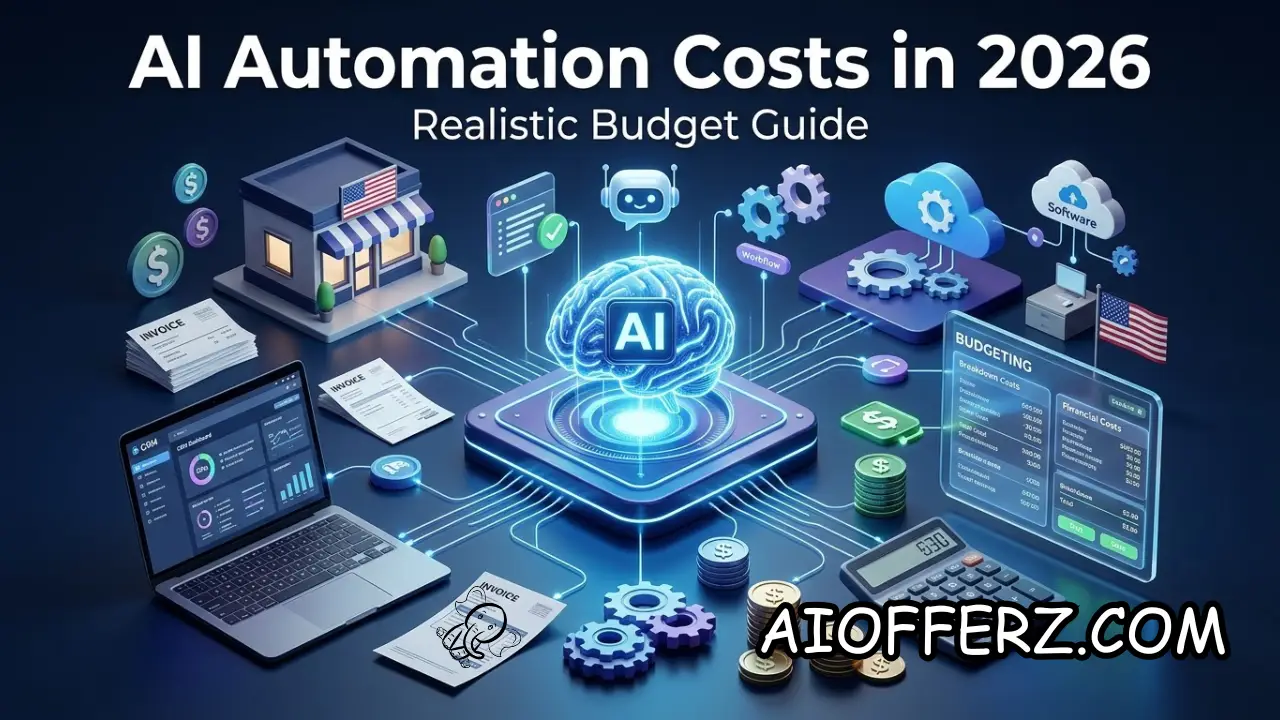
AI automation is no longer limited to large corporations with dedicated AI teams. In 2026, a U.S. small business can automate lead follow-ups, appointment scheduling, customer questions, document processing, email workflows, internal knowledge searches, reporting, and other repetitive tasks without building an AI system from scratch.
The difficult part is figuring out what the automation will actually cost.
The software subscription is only one part of the budget. A realistic calculation may also include setup, integrations, AI usage, automation-platform tasks, data preparation, monitoring, human review, maintenance, and occasional development work.
That is why two businesses can both say they are “using AI automation” while spending dramatically different amounts.
A simple AI-powered workflow may cost very little to operate once it is configured. A customer-facing AI receptionist connected to a CRM, calendar, phone system, payment platform, and internal knowledge base can require a much larger budget.
Current pricing illustrates this range. Zapier, for example, currently offers a free automation tier with 100 tasks per month, while its Professional plan starts at $19.99 per month when billed annually; its Team plan starts at $69 per month.
The important question for a small business is therefore not “How much does AI cost?”
The better question is: How much should I spend on this particular automation, and what measurable business result should I receive in return?
Want To Use Other AI To Write…
What AI Automation Costs Actually Include in 2026
The first mistake businesses make when budgeting for AI automation is looking only at the monthly software subscription. The actual cost usually has several layers, and ignoring any of them can produce an unrealistic budget.
The first layer is the AI model itself. Depending on the application, a business might pay through a monthly software subscription, per-user license, token-based API pricing, or usage-based agent pricing.
API-based systems can become more expensive as usage increases because every customer conversation, document, or automated task can generate additional model usage.
OpenAI’s documentation, for example, explains that token-based API costs depend on input, cached input, and output usage, and that different models have different rates.
The second layer is the automation platform. A business may use a service such as Zapier to connect an AI model with Gmail, a CRM, Google Sheets, a calendar, forms, Slack, accounting software, or other applications.
Zapier currently measures usage through tasks across its automation products, and its pricing increases according to the amount and complexity of usage.
The third layer is implementation. A straightforward workflow might be created by the business owner using a no-code platform.
A more complicated workflow may require someone to configure APIs, authentication, prompts, databases, webhooks, error handling, and business rules.
The fourth layer is ongoing maintenance. AI workflows can break when an application changes its API, when credentials expire, when a business changes its process, or when an AI model behaves differently after an update.
Someone needs to monitor the workflow and correct problems.
The fifth layer is human oversight. An AI agent that handles customer communication, sales qualification, financial information, or operational decisions may still require employees to review certain cases.
This means the true budget should be viewed as:
AI software + automation platform + setup + integrations + usage + human oversight + maintenance.
That calculation is much more useful than simply looking at the price of an AI subscription.
Current market estimates reflect this difference. One 2026 small-business pricing analysis places basic single-workflow builds around $1,500–$5,000, while more complex multi-system AI builds can reach approximately $5,000–$15,000 in implementation costs.
These are market estimates rather than universal prices, so actual quotes can vary significantly.
How Much a Small Business Should Budget for Simple AI Automation
The lowest-cost category is usually simple workflow automation. These systems do not necessarily require a sophisticated autonomous AI agent.
For example, imagine a small business receives a contact-form submission. The automation sends the information to a CRM, uses AI to summarize the inquiry, assigns a category, and sends a notification to the salesperson.
The workflow may involve only a few applications.
A business could potentially build something like this using a no-code automation platform and an AI API without hiring a developer.
Zapier currently provides a free plan with 100 tasks per month, while its Professional plan starts at $19.99 per month with annual billing.
The AI usage itself may also be relatively small. If the workflow only processes short messages and generates brief summaries, model costs can remain modest compared with the value of the employee time saved.
A realistic starting budget for a simple DIY automation might therefore be under $100 per month, excluding the owner’s time.
However, the phrase “DIY” matters.
If the business owner spends 15 hours figuring out integrations, troubleshooting errors, testing prompts, and maintaining the workflow, that time has economic value even if no invoice arrives.
A better calculation assigns an internal hourly value to that time.
For example, if an owner values their time at $75 per hour and spends 10 hours building a workflow, the implementation effectively represents $750 of business time.
That does not make the project bad. It simply makes the economics more realistic.
For businesses with several simple workflows, a low-cost automation platform can become a practical foundation.
The important thing is to start with a process that occurs frequently enough to justify the effort.
Automating a task performed twice a month may not make financial sense.
Automating a task performed 500 times a month can produce meaningful savings even when each individual action takes only a minute.
The best low-cost AI automation projects are therefore usually repetitive, predictable, easy to measure, and connected to a clear business outcome.
Wanna Use CustomGPT AI…
What Mid-Range AI Automation Usually Costs for a U.S. Small Business
The budget changes when AI becomes part of a multi-step business workflow.
Consider a local service company that wants an AI system to answer customer inquiries, qualify leads, check appointment availability, create CRM records, send follow-ups, and notify employees when a lead is ready.
This is no longer a simple “AI writes an email” workflow.
There may be several systems involved, and each system needs to communicate correctly with the others.
The company may need an AI model, automation platform, CRM integration, calendar integration, customer database, email or SMS service, logging, and human escalation rules.
This is where implementation costs can become much more significant.
A 2026 market estimate from Pfeiffer Digital places many small-business AI automation projects in the range of roughly $500–$5,000 for setup depending on complexity, with recurring costs commonly ranging from hundreds to thousands of dollars per month for more advanced systems.
These figures should be treated as planning ranges rather than fixed industry prices.
A business can spend less by using existing software and building the workflow internally.
It can spend more when it needs custom development, advanced integrations, voice AI, security controls, dedicated infrastructure, or ongoing agency support.
A reasonable planning budget for a small business considering several connected AI workflows might be $1,000–$3,000 per month, including software and usage, plus an initial implementation budget.
But that number should never be treated as a universal recommendation.
The right budget depends on the value of the workflow.
If an automation costs $2,000 per month but saves only $500 in employee time, it is difficult to justify.
If it costs $2,000 and creates $10,000 of additional gross profit, the situation is very different.
The business should therefore work backward from the expected financial benefit.
Start by identifying the current cost of the manual process.
Then estimate the percentage that AI can realistically automate.
Finally, calculate how much additional revenue or capacity the improved process could generate.
That calculation creates a rational budget instead of an arbitrary spending limit.

How Much AI Agents, Voice Receptionists and Advanced Automation Can Cost
AI agents generally cost more than basic automations because they can perform multiple steps, use tools, access information, and sometimes interact with customers independently.
For example, an AI sales agent might research a lead, analyze the company’s CRM history, ask qualifying questions, update records, schedule a meeting, and prepare a briefing for the salesperson.
Every additional capability creates more complexity.
The same applies to AI voice receptionists.
A voice agent may need speech recognition, an AI model, text-to-speech, a phone number, call routing, business-hours logic, calendar integration, CRM integration, call recording, transcripts, and escalation procedures.
The business may also pay according to call minutes or usage.
That makes voice automation fundamentally different from a simple text-based workflow.
Current market estimates place AI voice-agent and receptionist deployments substantially higher than basic chatbots, with typical monthly costs potentially reaching hundreds or thousands of dollars depending on call volume and configuration.
AI-agent platforms can also use activity-based pricing.
For example, Zapier currently lists its Agents product with a free tier and a Pro tier at $33.33 per month when billed annually, with activity limits. Its broader automation platform separately uses task-based pricing.
These pricing models illustrate an important point: usage matters as much as the headline subscription price.
An agent that handles 20 tasks a week has a very different cost profile from one handling thousands of customer interactions.
A business should estimate expected monthly volume before selecting a plan.
For example, calculate the number of leads, calls, documents, emails, appointments, or customer conversations the system will process.
Then estimate the average AI interactions required per case.
This provides a much better estimate of monthly usage.
Businesses should also budget for exceptions.
An agent that normally completes one workflow step might sometimes need multiple AI calls, external searches, retries, or human escalation.
Those additional operations can increase usage.
For this reason, a small contingency budget is sensible when launching an AI agent.
Using Many AI’s For Many Work, Solution Is Here…
The Hidden Costs That Make AI Automation More Expensive
The biggest surprise for many small businesses is that the software is often not the largest expense.
Integration work can become expensive when different systems were never designed to work together.
A CRM may have limited API capabilities. A legacy accounting system may require custom connectors. A scheduling platform may use a different data structure. An employee may still need to manually approve certain actions.
Data cleanup is another hidden cost.
AI works better when the underlying business information is organized.
If customer records contain duplicate names, outdated phone numbers, inconsistent fields, and incomplete information, automation can amplify those problems.
The business may need to clean its database before automation becomes reliable.
Security is another cost that should not be ignored.
An AI system connected to customer records, email, financial information, or internal documents needs appropriate authentication and access controls.
The business may need logging, permission management, backup procedures, and monitoring.
Training is also important.
Employees need to understand what the automation does, what it does not do, when they need to intervene, and how to report problems.
If employees do not trust the system, adoption can be low even when the technology works correctly.
Maintenance creates another recurring cost.
Software vendors change APIs. AI models change. Business processes change. Employees leave. Passwords expire. Integrations fail.
A workflow that worked perfectly in January may require adjustment in June.
This is why a business should budget for ongoing maintenance instead of treating AI automation as a one-time purchase.
A reasonable planning approach is to reserve part of the initial project budget for post-launch optimization.
The goal is not to predict every future expense.
The goal is to avoid the assumption that an automation will operate forever without supervision.
How to Calculate Whether AI Automation Is Actually Worth the Cost
The most important calculation is not the AI subscription price. It is the relationship between the total cost and measurable business benefit.
Start with employee time.
Suppose employees spend 100 hours per month on a repetitive process.
If the fully loaded labor cost is $30 per hour, the process represents approximately $3,000 of monthly labor capacity.
If AI can realistically eliminate or redirect 50% of that work, the potential capacity value is approximately $1,500 per month.
Now calculate revenue impact.
Suppose faster lead responses generate five additional customers per month and each customer contributes $400 in gross profit.
That adds another $2,000 of monthly benefit.
The combined potential benefit is therefore $3,500 per month.
If the AI system costs $800 per month to operate and requires $3,000 of initial setup, the first-year cost would be approximately $12,600.
The first-year gross benefit would be approximately $42,000 if the monthly benefit remains consistent.
That produces a potentially attractive business case.
But the assumptions must be tested.
Maybe the AI only creates two additional customers rather than five.
Maybe employees still need to review 40% of the AI-generated work.
And Maybe customer demand fluctuates seasonally.
That is why businesses should use conservative assumptions.
A useful formula is:
Monthly AI ROI = (Monthly Financial Benefit − Monthly AI Cost) ÷ Monthly AI Cost × 100
Businesses can also calculate payback period:
Payback Period = Initial Implementation Cost ÷ Monthly Net Benefit
If a project costs $3,000 to implement and produces $750 of net benefit per month, the estimated payback period is four months.
The business should also calculate the value of errors.
If automation saves $2,000 but creates $1,500 in avoidable mistakes, the apparent savings are misleading.
The final calculation should therefore include labor savings, incremental revenue, error reduction, customer-service improvements, implementation costs, recurring costs, maintenance, and human oversight.
That is what turns an AI project from an interesting experiment into a measurable investment.
To get relief from Joint Pain , you can go for this.
How to Build a Practical 2026 AI Automation Budget for a Small Business
A small business does not need to begin with a massive AI budget.
A staged approach is usually safer.
The first stage can be a small experiment costing anywhere from nearly $0 to a few hundred dollars per month, depending on the software and usage. The objective is to prove that one workflow works.
The second stage is optimization.
Once the workflow produces measurable results, the business can invest in better integrations, additional automation, stronger monitoring, or more capable AI models.
The third stage is expansion.
Only after the first workflows demonstrate ROI should the business consider deploying AI across multiple departments.
For planning purposes, a small business might divide its budget into four categories: software, implementation, maintenance, and experimentation.
Software covers subscriptions and usage.
Implementation covers development, integration, configuration, data cleanup, and testing.
Maintenance covers monitoring, troubleshooting, updates, and ongoing improvements.
Experimentation provides room to test new AI workflows without disrupting the core system.
This approach is better than spending the entire budget on one large AI project.
Businesses should also avoid buying overlapping tools.
If an existing CRM already includes AI features, determine whether those capabilities can solve the problem before purchasing another standalone platform.
Microsoft, for example, positions Copilot Business as an AI add-on for Microsoft 365 SMB customers and includes capabilities across applications such as Teams, Outlook, Word, PowerPoint, and Excel, with agent functionality available through Copilot Studio.
The same principle applies to automation platforms.
If an existing tool already connects the company’s CRM, email, calendar, and AI model, adding another automation platform may increase complexity without adding proportional value.
The best AI budget is therefore not necessarily the largest one.
It is the budget attached to workflows that have measurable business outcomes.
In 2026, U.S. small businesses should think of AI automation as an operating investment rather than a collection of trendy subscriptions.
Start small.
Measure results.
Remove tools that do not produce value.
Increase spending only when the economics justify it.
That approach makes AI much easier to manage and significantly reduces the risk of spending thousands of dollars on automation that employees barely use.
You can go for this to get natural Glowing Skin.
FAQs
1. How much does AI automation cost for a small business in 2026?
There is no single price. Simple DIY workflows can cost less than $100 per month, while multi-system AI automation can cost hundreds or thousands per month.
Implementation can range from a few hundred dollars to well over $10,000 depending on complexity. Current 2026 market estimates show this wide range.
2. Is AI automation expensive for a small business?
It can be, but the cost should be compared with the value created. A $1,000 monthly automation can be inexpensive if it generates several thousand dollars in additional profit or recovered employee capacity.
3. Can I build AI automation without hiring a developer?
Yes. No-code platforms can handle many straightforward workflows. Zapier currently offers no-code automation capabilities and a free plan with 100 tasks per month.
4. What is the cheapest way to start AI automation?
Start with one repetitive workflow using tools the business already owns. Use free tiers or inexpensive plans during testing and upgrade only after the workflow demonstrates measurable value.
5. How much does an AI agent cost per month?
The cost depends on the platform, activity volume, model usage, integrations, and complexity. Some agent platforms offer low-cost entry plans, while production business agents can cost hundreds or thousands per month.
6. What hidden costs should businesses expect?
Common hidden costs include integration work, data cleanup, employee training, monitoring, troubleshooting, security controls, API usage, maintenance, and human review.
7. How long does it take to recover an AI automation investment?
The payback period depends on the initial implementation cost and monthly net benefit. A simple formula is initial cost divided by monthly net benefit.
8. Should a small business hire an AI automation agency?
An agency can make sense when the workflow involves multiple systems, APIs, security requirements, or custom development. Simple workflows may be cheaper to build internally.
9. How can I tell if an AI automation is worth paying for?
Measure the baseline process first, then compare employee hours, revenue, conversion rates, error rates, response times, and other relevant metrics after implementation.
10. Should I automate multiple workflows at the same time?
Usually, start with one. Prove its ROI, improve reliability, and then expand. This makes it much easier to identify which automation is actually creating value.
Ready to Begin?
➜ Click Here to explore top rated affiliate programs on ClickBank!
➜ Reach Our Free Offers: “Come Here To Earn Money By Your Mobile Easily in 2025.”
Want To Read More Then Click Here…
If You Are Interested In Health And Fitness Articles Then Click Here.
If You Are Interested In Indian Share Market Articles Then Click Here.
Thanks To Visit Our Website-We Will Wait For You Come Again Soon…