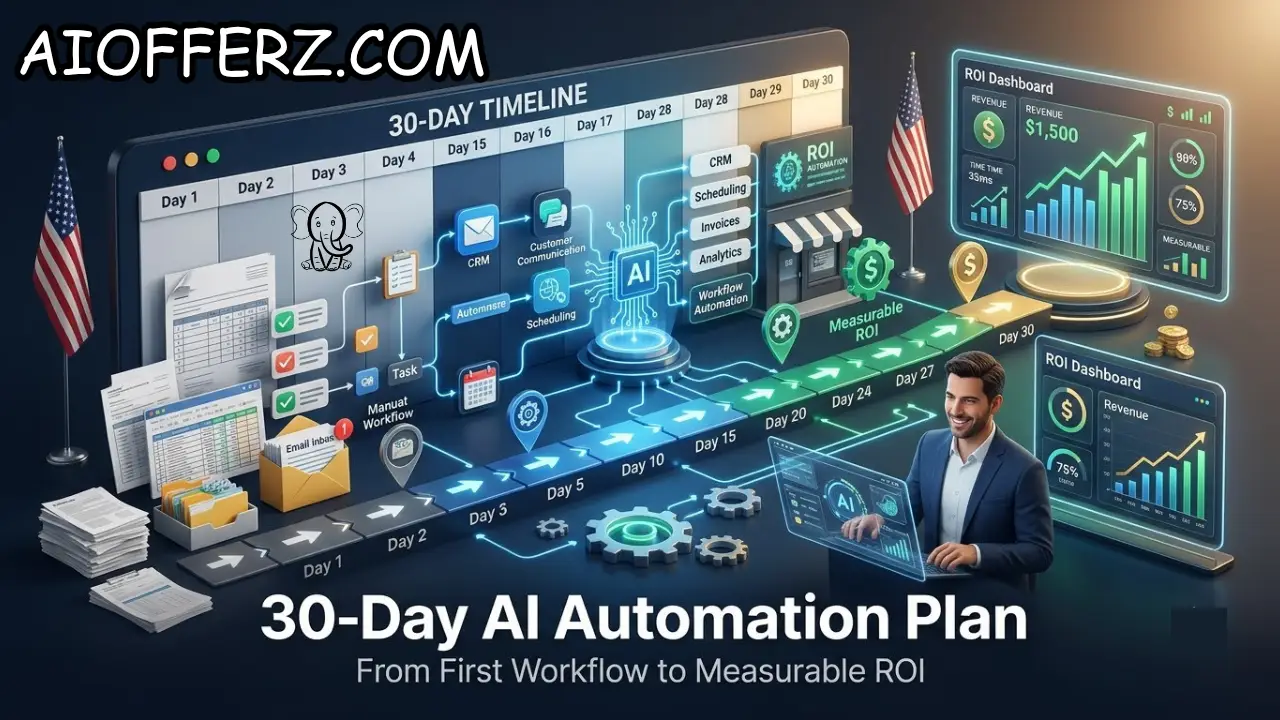
Why a 30-Day AI Automation Plan Makes More Sense Than Buying Dozens of AI Tools
AI adoption among U.S. small businesses is moving quickly, but buying software is not the same as successfully implementing it.
A business can subscribe to an AI chatbot, an AI writing tool, an automation platform, and several AI agents and still have no measurable improvement in revenue, productivity, or customer service.
The problem is usually not a lack of technology. It is a lack of focus. Small-business owners often start with the question, “What AI tools should I buy?”
A better question is, “Which business process is costing me the most time, money, or missed opportunities, and can AI improve it?”
Recent U.S. Census data shows that AI use varies significantly by business size. Between December 2025 and May 2026, overall U.S. business AI use hovered around 17% to 20%, while businesses with fewer than 20 employees had substantially lower adoption than larger firms.
That gap creates an opportunity for smaller companies, but only if implementation is practical.
Research from Upwork also shows why businesses should avoid expecting instant transformation. In its 2026 study of U.S. SMB leaders, 74% reported that AI had improved productivity, but most reported improvements below 25%.
Uncertainty about ROI was the second-largest adoption barrier after data security and compliance.
That is why a 30-day AI automation plan works well for a small business. Instead of attempting a company-wide transformation, the business chooses one workflow, measures the current process, implements a controlled automation, and compares the results with the original baseline.
The 30-day approach also reduces financial risk. You do not need to spend thousands of dollars building an elaborate AI system before knowing whether employees and customers will actually use it.
The objective is simple: by the end of 30 days, the business should have one working AI automation, a documented workflow, baseline measurements, post-launch measurements, and a reasonable understanding of whether the investment deserves to be expanded.
The first 30 days are therefore not about “going all in on AI.” They are about proving that one carefully selected workflow can produce measurable business value.
Want To Use Other AI To Write…
Days 1–5: Find the Best Workflow for AI Automation
The first five days should be spent identifying the right process rather than shopping for software. This is where many small businesses go wrong. They choose an AI product first and then search for a problem to solve with it.
Start by listing repetitive tasks performed by employees every week. Include customer calls, lead follow-ups, appointment scheduling, data entry, invoice processing, customer questions, email responses, document handling, reporting, internal information searches, and other recurring work.
Next, estimate the time spent on each activity. Exact measurements are better than guesses, but even a reasonable estimate can help during the first assessment.
For example, a small home-service company might discover that employees spend 25 hours every week answering basic customer questions and following up with leads.
A professional-services company might find that employees spend 15 hours preparing recurring reports and sending status updates.
Then rank each workflow according to four factors: frequency, time consumed, financial value, and difficulty of automation.
A process performed hundreds of times per month is generally a better automation candidate than something that happens once every few weeks.
The next consideration is predictability. Some processes are highly structured and can be handled with ordinary automation.
Others require AI because employees must interpret natural language, documents, or customer requests before deciding what happens next.
For example, sending an appointment reminder is usually a straightforward automation. Understanding a customer’s written request, determining what service they need, asking follow-up questions, and routing the lead to the correct employee may be better suited to AI.
Risk should also be considered. Do not make your first AI project the workflow that could create serious legal, financial, security, or customer consequences if something goes wrong.
A better first project is usually repetitive, measurable, relatively low-risk, and connected to a clear business outcome.
By Day 5, choose exactly one workflow.
Write down how it works today, who performs it, how long it takes, what systems are involved, how many times it happens, and what happens when something goes wrong.
That document becomes your baseline. Without it, you will have difficulty proving whether the AI automation actually improved the business.

Days 6–10: Measure the Baseline Before Automating Anything
Days 6 through 10 should focus on measurement. This may sound less exciting than building an AI workflow, but it is one of the most important parts of the entire process.
Suppose your goal is to automate lead follow-up. Before implementing AI, record how many leads arrive each week, how quickly employees respond, how many leads receive a follow-up, how many become appointments, and how many eventually become customers.
If the project is customer support, track the number of incoming questions, average response time, employee hours spent answering them, number of escalations, and percentage of issues resolved without a second interaction.
If the project involves document processing, measure how long employees spend extracting information, how many documents are processed, and how frequently mistakes require corrections.
The baseline should be specific enough that you can compare it with the results after automation.
A simple spreadsheet can be enough. You do not need an expensive analytics platform to begin.
For example, a business might establish the following baseline: 300 inbound leads per month, average response time of four hours, 120 qualified leads, 50 appointments, and 15 new customers.
The goal of the AI workflow is not simply to “use AI.” It might be to reduce response time to 15 minutes, increase qualified leads to 140, or increase appointments without adding employee hours.
This distinction matters because activity is not the same as value.
An AI agent that processes 10,000 messages sounds impressive, but if those messages do not improve sales, service, or efficiency, the business has little reason to celebrate.
The U.S. Chamber of Commerce Foundation’s 2026 Main Street AI Monitor found that many small-business workers use AI to get more work done rather than simply eliminate jobs, and six in ten workers who save time through AI report reinvesting those savings into more or better work.
That finding is important for ROI measurement. Time saved does not necessarily mean payroll eliminated.
It may mean employees can handle more customers, complete more projects, or spend more time on work that directly contributes to growth.
Therefore, define whether your expected benefit is cost reduction, recovered employee capacity, revenue growth, faster service, fewer errors or a combination of these.
By Day 10, you should have a baseline and three to five measurable KPIs.
Do not continue to implementation until you know what success will look like.
Wanna Use CustomGPT AI…
Days 11–15: Build the First AI Workflow With Simple Guardrails
Days 11 through 15 are when the actual automation is built. The key is to keep the first version simple.
Choose the minimum number of tools necessary to complete the workflow. If a CRM, calendar, email system, and automation platform can accomplish the objective, do not add six more applications simply because they have AI features.
Start by mapping the workflow.
Write down the trigger, the information the AI receives, the action it should take, the conditions it must check, and the point where a human should take over.
For example, a lead workflow could look like this: a new inquiry arrives, AI reads the inquiry, identifies the requested service, asks missing qualifying questions, records the information in the CRM, and offers an appointment.
If the customer asks a complicated question or requests a special price, the workflow sends the conversation to a human.
That final step is important. AI automation should not mean unlimited autonomy.
The first version should have clear boundaries. Define what the AI is allowed to answer, what information it can access, which actions it can perform, and which situations require human approval.
Data access should also be limited to what the workflow needs.
If an AI assistant only needs customer names, appointment availability, and service information, there is little reason to give it unrestricted access to sensitive financial or employee records.
Testing should happen before the workflow goes live.
Create normal examples, unusual examples, incomplete requests, ambiguous questions, and requests the AI should refuse.
Check whether the AI correctly identifies the situation and whether it follows the escalation rules.
The goal is not perfection. The goal is controlled reliability.
If the workflow fails during testing, fix the process before exposing it to customers.
One useful principle is to automate the repetitive portion while preserving human control over exceptions.
This also makes adoption easier for employees. They are not being asked to trust an AI system with everything. They are being given a tool that handles predictable work and sends unusual cases to them.
By Day 15, the workflow should exist in a controlled test environment and have passed a reasonable set of real-world scenarios.
Days 16–20: Launch the AI Automation With Human Oversight
Days 16 through 20 should be treated as a controlled launch rather than a full-scale rollout.
Start with a limited percentage of traffic if possible. For example, an AI lead-follow-up workflow might initially handle 20% of new inquiries while employees continue managing the rest manually.
This creates a comparison group.
The business can then examine whether the AI-handled leads receive faster responses, produce more appointments, or require more employee intervention.
The same principle works for internal processes. An AI document workflow can process a portion of documents while employees continue handling the remainder manually.
During this stage, track every important failure.
Record incorrect responses, missing information, unnecessary escalations, duplicate actions, delayed responses, and situations where employees had to correct the AI.
Do not treat these mistakes simply as technical bugs. Some problems reveal weaknesses in the business process itself.
For example, an AI system may repeatedly struggle to answer a customer question because the company’s website and internal documentation provide conflicting information.
The solution may not be a better AI model. The company may need to create one authoritative source of information.
This is one reason data quality matters so much to successful AI implementation.
The U.S. Census Bureau’s 2026 research shows that AI adoption is often still limited in scope, with many adopting firms using AI in only a small number of business functions.
A focused deployment makes it easier to identify these issues.
Employees should also be told exactly when they are expected to intervene.
For customer-facing automation, the handoff should feel natural. The customer should not have to repeatedly explain the same issue after being transferred to an employee.
For internal automation, employees should know how to report incorrect AI outputs and how quickly those issues should be reviewed.
Security should also be monitored during the pilot.
Check what information the system accesses, where information is sent, what accounts it can modify, and what actions it can perform.
The goal of Days 16–20 is not to prove that AI is flawless. It is to establish whether the workflow performs reliably enough to produce measurable business value without creating unacceptable risk.
Using Many AI’s For Many Work, Solution Is Here…
Days 21–25: Compare AI Results With the Original Business Baseline
Days 21 through 25 are when the experiment becomes a business analysis.
Return to the metrics you established during Days 6–10.
If your original process took 80 employee hours per month, how many hours does it take now?
And the original average lead-response time was four hours, what is the new response time?
If the business previously generated 50 appointments from 300 leads, how many appointments are now being generated?
If the AI system creates more work through corrections than it removes, that is important information too.
Calculate the net result rather than focusing only on gross automation.
Suppose AI handles 70% of customer questions but employees spend significant time reviewing its answers. The business should subtract that review time from the total time saved.
Next, calculate the financial value.
If 30 employee hours are recovered each month and the relevant labor cost is $30 per hour, the theoretical capacity value is $900 per month.
If the automation also produces two additional customers generating $600 in gross profit each, the potential monthly benefit rises to $2,100.
But be careful with attribution. Do not automatically claim every new customer came from AI.
Compare the results with the baseline and, where possible, with a similar group that did not use the automation.
This is particularly important for sales workflows because demand naturally changes.
Seasonality, advertising campaigns, pricing changes, staffing changes, and market conditions can influence results.
ROI should also include the full cost of the automation.
Add software subscriptions, usage charges, implementation costs, integration expenses, employee monitoring time, maintenance, and any other recurring costs.
Then calculate a simple ROI:
ROI = (Financial Benefit − AI Cost) ÷ AI Cost × 100
For example, if an automation produces $2,100 in measurable monthly benefit and costs $600 to operate, the monthly net benefit is $1,500.
That does not automatically make the project successful. The business should also consider reliability, customer experience, security, and scalability.
Upwork’s 2026 SMB research found that productivity improvements from AI were often below 25%, which is a useful reminder to build financial projections around measured results rather than dramatic vendor claims.
By Day 25, you should know whether the workflow is working economically, not merely technically.
You can go for this to get natural Glowing Skin.
Days 26–30: Calculate Measurable ROI and Decide What to Automate Next
The final five days are about making a decision.
There are only three sensible outcomes: expand the workflow, modify it and continue testing, or stop using it.
If the automation produces measurable value, operates reliably, and does not create unacceptable risks, expand it gradually.
If the technology works but the economics are weak, change the workflow before spending more money.
For example, an AI system may be technically impressive but too expensive for a low-volume process.
The solution may be to reduce the number of AI calls, simplify the workflow, use conventional automation for predictable steps, or choose a lower-cost model.
If the system creates more problems than it solves, stop.
Stopping an unsuccessful AI project is not failure. It is good business management.
The next workflow should be selected using what you learned from the first project.
If lead follow-up produced strong ROI, the next opportunity might be appointment scheduling.
Customer-service automation worked well, the next opportunity might be post-service follow-ups.
If document processing produced measurable savings, the business might automate another administrative workflow.
Do not automate everything simultaneously.
The Federal Reserve Bank of San Francisco found that nearly 40% of small-business respondents in its analysis of the 2024 Small Business Credit Survey were already using or planning to use AI, illustrating how quickly AI experimentation has entered the small-business environment.
But adoption alone is not the objective.
The objective is a collection of workflows that each have a clear business case.
Over time, these workflows can become an AI operating layer across sales, customer service, administration, operations, and internal knowledge management.
The business should maintain a simple AI scorecard for every automation.
Track the workflow, owner, monthly cost, time saved, revenue impact, error rate, human review time, customer impact, and ROI.
This prevents the company from accumulating AI subscriptions without knowing which ones actually create value.
A 30-day plan also creates a useful habit: every new AI project must earn its place.
The company no longer asks whether AI is exciting.
It asks whether the workflow produces measurable value.
That is the difference between experimenting with AI and building an AI-enabled business.
To get relief from Joint Pain , you can go for this.
FAQs
1. Can a small business really implement AI automation in 30 days?
Yes. A focused workflow can often be selected, measured, tested, launched, and evaluated within 30 days. The goal is not complete business transformation but proving one practical use case.
2. What is the best first AI automation for a small business?
The best first workflow is usually repetitive, measurable, relatively low-risk, and performed frequently. Lead follow-up, customer questions, appointment scheduling, document processing, and internal information retrieval can be strong candidates.
3. How much does small-business AI automation cost?
Costs vary significantly depending on the workflow, software, integrations, usage, and implementation. Businesses should calculate total operating cost rather than looking only at the advertised subscription price.
4. How do I measure AI automation ROI?
Measure the baseline before implementation, calculate the financial value created after implementation, subtract the full AI cost, and compare the result with the original process.
5. Should AI replace employees during the first 30 days?
Usually, the better objective is to automate repetitive work and redirect employee capacity toward higher-value activities. The U.S. Chamber Foundation reports that many small-business workers use AI primarily to get more work done rather than automate their jobs.
6. What if my first AI automation does not produce positive ROI?
Identify whether the problem is the workflow, AI performance, implementation cost, usage volume, or measurement method. Modify the project or stop it rather than continuing simply because money has already been spent.
7. How many AI workflows should a small business automate at once?
Start with one. Once it is reliable and measurable, add another. Running too many experiments simultaneously makes it difficult to determine which system is actually producing value.
8. Does a small business need an AI agent or an automation platform?
Not necessarily. Simple rule-based processes may only need conventional automation. AI agents are more useful when a workflow requires interpretation, flexible decisions, or multiple steps.
9. What KPIs should I track during an AI pilot?
Useful KPIs include time saved, response time, leads handled, appointments booked, conversion rate, errors, human review time, customer satisfaction, operating cost, and incremental revenue or gross profit.
10. What should happen after the 30-day AI automation plan?
Keep workflows that demonstrate measurable value, improve workflows that show potential, and discontinue those that do not justify their cost or risk. Then select the next high-value business process for automation.
Ready to Begin?
➜ Click Here to explore top rated affiliate programs on ClickBank!
➜ Reach Our Free Offers: “Come Here To Earn Money By Your Mobile Easily in 2025.”
Want To Read More Then Click Here…
If You Are Interested In Health And Fitness Articles Then Click Here.
If You Are Interested In Indian Share Market Articles Then Click Here.
Thanks To Visit Our Website-We Will Wait For You Come Again Soon…