It was a busy Tuesday morning at our mid-sized clinic in Chicago when the front desk completely crashed under the weight of three ringing phones, four confused walk-ins and a jammed fax machine.
I watched our lead receptionist frantically toggle between our Epic EHR interface and a stack of smudged clipboard papers while a patient complained about a fifteen-minute wait just to hand over their insurance card.
We knew our legacy workflow was broken. The manual data entry was burning out our staff and hurting our patient experience.
Every day felt like an endless battle against paper forms, missing signatures and data entry typos that led to denied insurance claims.
That afternoon marked the turning point for our practice because we finally decided to implement a zero-staff intake model. We explored how to bridge the gap between our robust medical records system and modern artificial intelligence.
By connecting Luma Health AI directly to our core electronic health records system we eliminated the clipboards entirely. The transformation was absolute night and day. Patients loved the modern convenience and our staff could finally breathe.
The Breaking Point: Why Medical Practices Need Automation
American healthcare facilities are facing unprecedented staffing shortages today. Administrators struggle to hire reliable front desk personnel while patient volume continues to increase.
The traditional check-in process requires patients to arrive early, fill out redundant paperwork and wait for a receptionist to manually type that data into the electronic health record.
This creates bottlenecks in the waiting room and increases the likelihood of human error. A single typo in an insurance group number can result in denied claims and delayed revenue.
We realized that relying on human hands to transfer information from a piece of paper to a digital database is an outdated concept.
You need a system that captures data directly from the patient and drops it securely into your EHR without any staff intervention.
Want To Use Other AI To Write
Understanding Luma Health AI
Luma Health is an operational AI platform designed specifically to unify patient journeys for enterprise health systems, regional hospitals and specialty practices.
At its core is a powerful technology called Spark. Spark is a healthcare-native AI engine trained on real clinical workflows. It is not just a basic chatbot.
It coordinates multiple capabilities across products and agents to remove friction from the entire healthcare experience. Luma handles scheduling, appointment reminders, intake forms and payment collection automatically.
When integrated properly it acts as a digital concierge that communicates with patients via text message, web chat or voice.
The system translates complex medical jargon, answers common logistical questions and ensures that the patient is fully prepared before they even step foot inside your facility.
The Mechanics of Zero-Staff Intake
Zero-staff intake sounds like a futuristic dream but it is entirely possible with current application programming interface technology.
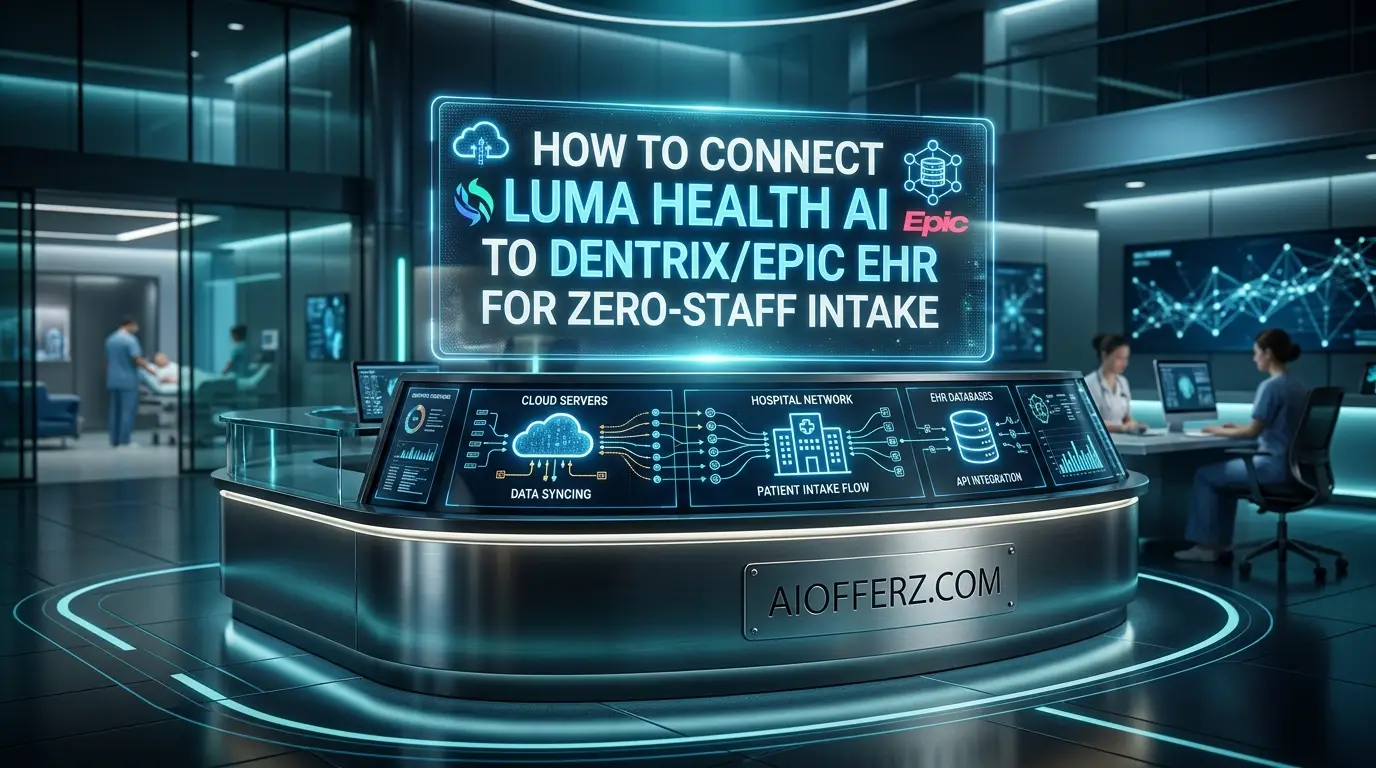
The concept revolves around pushing the administrative workload to the patient’s smartphone prior to their appointment. When an appointment is created in Dentrix or Epic the integration triggers Luma to send a secure link via SMS.
The patient clicks the link to verify their demographics, snap a photo of their insurance card, sign consent forms and pay their copay.
Because Luma features deep bi-directional integration the data does not just sit in an isolated third-party dashboard. It writes directly back into the specific native fields of your EHR.
By the time the patient walks through your doors their chart is updated and their payment is completely processed. Your staff only needs to smile and direct them to the examination room.
Wanna Use CustomGPT AI
Preparing Your Clinic for Integration
Before you connect any external software to your core medical records you must audit your current workflows. Look at your existing intake packets to identify which questions are strictly necessary and which can be eliminated.
Complex paper forms do not always translate well to a mobile screen. Streamline your questionnaires to minimize patient fatigue.
You also need to verify that your current version of Dentrix or Epic is up to date and capable of supporting third-party API connections.
Gather your IT team, your lead receptionist and your practice manager to map out the ideal data flow. Decide which data points must be written back to the patient profile and which require a manual review flag.
Preparation prevents massive data synchronization errors down the line.
How to Connect Luma Health AI to Dentrix
Dentrix is a powerhouse for dental practices but unlocking its full potential requires seamlessly syncing it with modern patient engagement tools. Connecting Luma Health AI to Dentrix transforms a traditional dental office into a highly efficient digital practice.
Initiating the API Connection
The first step involves working with Luma Health support to authenticate the secure connection with your Dentrix database. Dentrix utilizes specific integration protocols to allow controlled third-party access.
You will need to generate secure API keys from your Dentrix developer portal and input them into the Luma integration dashboard. This establishes the initial digital handshake between the two platforms.
Mapping Patient Demographics
Once connected you must map the individual data fields. Luma needs to know exactly where to place first names, last names, dates of birth and contact information.
Dentrix has a highly structured database architecture so precision is vital. Ensure that the mobile numbers collected by Luma are mapped to the correct SMS-enabled fields in Dentrix to avoid future communication failures.
Using Many AI’s For Many Work, Solution Is Here
Configuring Bi-Directional Sync
Bi-directional sync is the absolute heart of zero-staff intake. This means that when a patient updates their medical history via Luma it automatically overwrites the old obsolete data in Dentrix.
Configure the sync frequency to real-time so that your dental hygienists always have the most current health alerts before they begin a routine cleaning.
You must also map the insurance capture feature so that images of dental insurance cards are automatically uploaded to the Dentrix document center.
Testing the Workflow
Never roll out a major software integration without rigorous testing. Create a test patient in Dentrix and schedule a mock appointment.
Watch to see if Luma triggers the correct intake text message. Fill out the digital form on your phone and then verify that the information populates correctly in the Dentrix chart.
Test different scenarios like appointment cancellations and rescheduling to ensure the background logic holds up under pressure.
How to Connect Luma Health AI to Epic EHR
Epic is the centralized brain of many large hospitals and specialized health systems. Luma Health acts as the muscle that extends Epic’s capabilities without adding extra IT burden. Epic integration is complex but Luma is purposely built to handle it flawlessly.
Utilizing Epic App Orchard
Epic maintains strict control over third-party integrations through its dedicated App Orchard program. Luma Health is fully vetted and utilizes standard FHIR APIs to communicate securely with Epic.
Your Epic administrator will need to approve the Luma application within your specific Epic environment. This involves configuring strict security settings to grant Luma permission to read and write to specific patient modules.
Want To Get Online Cash…
Configuring Spark AI and In Basket
One of the most powerful features of integrating with Epic is leveraging Luma’s Spark AI alongside Epic’s native In Basket messaging system.
You can configure Luma to handle unscheduled tickets, resolve aged referrals and automate procedure prep. Set up intelligent routing rules so that if a patient asks a complex clinical question that the AI cannot answer the message is securely routed directly to the appropriate provider’s In Basket.
This keeps all critical communication within the secure Epic ecosystem.
Automating Health Maintenance Updates
Epic relies heavily on Health Maintenance modifiers to track preventive care initiatives. You can configure Luma to launch automated outreach campaigns for overdue screenings like mammograms or colonoscopies.
When a patient schedules their screening through the Luma link the system writes back into Epic to close the care gap loop. You must map these specific clinical identifiers accurately during the initial setup phase.
Fax Transformation Integration
Many Epic users still struggle with inbound paper faxes. Luma offers a powerful Fax Transform feature that extracts data from inbound documents and matches it to the correct Epic patient chart.
Configure this feature to automatically upload documents to the Epic Media Manager and create actionable digital orders. This eliminates the need for staff to manually sort through endless digital fax queues.
“Live Chat Jobs – You have to try this one”
Key Benefits of Luma EHR Intake Integration
Implementing this technology completely reshapes the operational landscape of a medical facility. The benefits touch every aspect of the business from the front desk to the billing department.
Eliminating Manual Data Entry
The most immediate positive impact is the complete eradication of manual typing. Your staff will no longer spend hours staring at clipboards and typing insurance ID numbers.
This drastically reduces typographical errors which are the leading cause of insurance claim rejections. Clean accurate data flows directly from the patient’s device into the secure internal database.
Boosting Patient Satisfaction
Nobody enjoys sitting in a waiting room with a clipboard attached to a heavy chain. Patients prefer the ultimate convenience of filling out their medical history on their couch the night before their visit.
Zero-staff intake heavily respects the patient’s time. They walk in, verify their identity and sit down for just a few minutes before their medical provider is ready. This modern digital experience leads to higher retention rates and vastly better online reviews.
Reducing Staff Burnout
Healthcare administrators often overlook the immense stress placed on front desk workers. Dealing with ringing phones, upset patients and complex software leads to high staff turnover.
By automating the intake and scheduling process you allow your team to focus on high-value human interactions. They can finally provide genuine hospitality instead of acting as glorified data entry clerks.
You can use it naturally as an effective Dental Care tool.
Handling Legacy Systems and Fax Transformation
Even in a highly digital modern world many referring providers still rely on legacy fax machines. This creates a massive administrative bottleneck for modern clinics.
When you integrate Luma with Dentrix or Epic you can utilize advanced optical character recognition to read inbound faxes. The intelligent AI analyzes the document to determine if it is a referral, a lab result or a medical record request.
It then routes the raw data to the correct patient chart automatically. A tedious process that used to take days of manual sorting now happens in mere seconds.
Every fax sitting in a queue represents a delay in patient care so automating this workflow is critical for modern operational efficiency.
Customizing the Digital Front Door
Your digital front door is the very first impression a new patient has of your medical facility. A clunky scheduling widget reflects poorly on your overall clinical expertise.
Connecting Luma allows you to fully customize the aesthetic and workflow of the patient portal. You can easily incorporate your specific branding guidelines, clinic logos and warm welcome messages.
Furthermore the intelligent routing ensures that patients are guided to the correct provider based on their symptoms and insurance type.
For example if a patient tries to book a specialized surgical consultation but lacks the required referral from a primary care physician the system can automatically prompt them to upload the referral document before securing the specific time slot.
This level of customization ensures that your providers only see patients who are fully qualified and completely prepared for their specific type of care.
“Want radiant skin? This glow-up hack uses ingredients from your fridge!”
Overcoming Common Integration Challenges
While connecting Luma Health AI to Dentrix or Epic is designed to be highly streamlined there are always technical hurdles to clear.
One common issue is handling duplicate patient records. If a patient enters a slight variation of their name on their mobile device the system might struggle to match it to their existing EHR chart.
To resolve this you must configure strict matching logic based on multiple unique identifiers like date of birth and social security number.
Another challenge is network latency during peak office hours. If your on-premise Dentrix server is experiencing heavy load the API calls from Luma might temporarily time out.
Upgrading your server hardware or migrating to a robust cloud-hosted EHR environment often solves these connectivity drops.
Always maintain open communication with your assigned Luma deployment specialist during the first few weeks to iron out these minor data wrinkles.
Managing Patient Communication Across Multiple Channels
Modern healthcare consumers do not want to be restricted to a single rigid method of communication. Some patients prefer text messages while others rely on email or direct phone calls.
When you integrate an advanced AI platform with your core records system you unlock true omnichannel messaging.
The AI agent can switch seamlessly between a website chat widget and an SMS conversation without losing the specific context of the patient’s medical history.
If a patient starts booking an appointment via web chat but gets distracted they can resume the exact process later via text message.
Because the entire system writes back to Dentrix or Epic your administrative team always has a single unified view of every interaction.
This eliminates the major confusion of having fragmented conversations spread across different software tools and ensures a consistent professional tone for your entire medical brand.
Get Paid To Use Facebook, Twitter and YouTube
Training Your Staff for the New Workflow
A successful software integration is ultimately only as good as the human team using it. You cannot simply flip a digital switch and expect your staff to adapt instantly.
Zero-staff intake changes the fundamental daily habits of your reception team. You must conduct comprehensive training sessions to teach them how to accurately monitor the automated workflows.
They need to know how to read the Luma dashboard to verify which patients have completed their digital intake and which ones require a gentle phone reminder.
Role-playing exercises are highly effective here. Have your staff practice scenarios where a patient arrives without a smartphone or adamantly refuses to use the digital system.
The front desk must learn how to seamlessly transition these edge cases to a traditional paper workflow without causing a scene. Emphasize that the AI is there to assist them rather than replace them.
Monitoring Analytics and Success Metrics
Once your Luma integration is fully live with Dentrix or Epic you must track the performance to justify the financial investment.
Luma provides robust internal analytics dashboards that give you deep insights into patient behavior. Monitor the conversion rate of your digital intake forms.
If you notice that patients consistently abandon the form halfway through it might indicate that your medical history questionnaire is far too long.
Track your strict no-show rates before and after the integration to quantify the impact of AI-driven text reminders. You should also closely measure the reduction in call volume to your front desk.
Fewer phone calls mean the AI is successfully answering patient questions and handling self-scheduling requests. By consistently reviewing these metrics you can continuously optimize your clinical workflows for maximum efficiency and patient satisfaction.
Live Chat Jobs – You have to try this one
HIPAA Compliance and Data Security
When transmitting sensitive protected health information between a personal mobile device and a centralized electronic health record security is the absolute highest priority.
Luma Health is fully HIPAA compliant and utilizes enterprise-grade encryption for all data in transit and at rest. The integration with Dentrix and Epic uses highly secure token-based authentication.
This means that confidential patient data is never exposed to unauthorized external parties. The AI agent operates on a strict zero-retention policy so sensitive conversations are not stored longer than absolutely necessary for the clinical workflow.
Your IT compliance officer can rest easy knowing that the API connection meets all federal security guidelines.
The Financial Impact on Your Medical Practice
The financial return on investment for connecting Luma to your specific EHR is substantial. By automating appointment reminders and offering convenient self-scheduling you drastically reduce your daily no-show rate.
Empty chairs cost specialized practices thousands of dollars every single week. Furthermore the automated copay collection feature ensures that you capture patient responsibility balances before the appointment even formally begins.
Staff time savings translate directly into reduced overtime pay and lower overall overhead costs. For example the University of Arkansas for Medical Sciences saved over 800 hours of staff time simply by automating their after-hours cancellation workflow with Luma AI.
Embracing the Future of Patient Access
The era of the clipboard is officially over. As modern healthcare continues to evolve patient expectations will only grow higher. They want the same seamless digital experience they receive from massive airlines and corporate banks.
By connecting Luma Health AI to Dentrix or Epic you are not just upgrading your practice software. You are fundamentally transforming how your entire practice delivers care.
Zero-staff intake creates a beautiful frictionless environment where technology handles the heavy administrative lifting so your medical professionals can focus entirely on true healing.
Take the technological leap today and watch your operational bottlenecks completely disappear.
To reduce mental stress and relief from anxiety , you can try it.
FAQs
1. How long does it take to connect Luma Health AI to my existing EHR?
The exact implementation timeline varies heavily based on your specific software version and IT infrastructure. Connecting Dentrix usually takes a few short weeks while enterprise Epic integrations might require a much longer testing phase to ensure strict compliance with internal hospital network policies.
2. Will the AI system completely replace my front desk staff?
No. The primary goal of zero-staff intake is to automate repetitive manual data entry and basic scheduling tasks. This frees your human front desk team to focus on highly complex patient issues, difficult insurance verification exceptions and providing excellent in-person customer service.
3. Is the patient data synced through Luma actually compliant with HIPAA regulations?
Yes. Luma Health is built entirely around strict modern healthcare security standards. All sensitive data transmitted between the patient’s personal smartphone, the AI cloud platform and your internal Epic or Dentrix EHR is heavily encrypted and fully HIPAA compliant.
4. What happens if a patient refuses to use their smartphone for check-in?
While digital mobile adoption is extremely high you will always have older patients who vastly prefer paper. Your staff can easily accommodate these individuals by printing out the standard Dentrix or Epic intake forms and manually entering the written data just as they did previously.
5. Can Luma Health handle automated appointment cancellations and rescheduling?
Yes. Patients can quickly reply to automated text messages to instantly cancel or seamlessly reschedule their visits. Luma uses advanced natural language processing to understand the patient intent and instantly updates the correct schedule block in your medical records system without human staff intervention.
6. How does bi-directional sync prevent duplicate patient records?
The smart integration relies on incredibly strict matching algorithms that constantly compare first names, last names and precise dates of birth. If the system detects a potential mismatch it simply flags the record for a quick manual review by your trained staff before ever creating a duplicate file in the main database.
7. Does the zero-staff intake workflow support multiple languages?
Absolutely. Luma features robust two-way AI translation capabilities allowing diverse patients to complete their intake forms and chat with the digital concierge in their preferred native language while your administrative staff naturally reads the localized information in English.
8. Can I collect copays and past due balances through the Luma integration?
Yes. The platform includes highly secure mobile payment features. Patients are automatically prompted to instantly pay their standard copay or settle older outstanding balances directly from their phone during the digital check-in process before they ever arrive at the physical clinic.
9. How does Luma process inbound faxes for my medical practice?
Using advanced artificial optical character recognition the Fax Transform feature rapidly scans inbound paper documents to precisely identify the document type and specific patient. It then automatically routes the digital file into the correct patient chart within your Epic or Dentrix system.
10. Will integrating this AI platform require me to upgrade my hardware servers?
Luma operates primarily in the cloud so it absolutely does not require heavy on-site processing power. However if you use an extremely outdated on-premise physical server for Dentrix you might need a minor internal network upgrade to ensure completely stable internet connectivity for the vital API calls.
Ready to Begin?
➜ Click Here to explore top rated affiliate programs on ClickBank!
➜ Reach Our Free Offers: “Come Here To Earn Money By Your Mobile Easily in 2026.”
Want To Read More Then Click Here…
If You Are Interested In Health And Fitness Articles Then Click Here.
If You Are Interested In Indian Share Market Articles Then Click Here.
Thanks To Visit Our Website-We Will Wait For You Come Again Soon…